How to Use Library
Describes the development environment of iOS application and how to use the library.
Development Environment
In order to develop iOS applications, the following tools are required.
- Xcode 16.0 or later
The description is on the premise that the environment where each tool is available is prepared.
Provided Files
The file configuration of the SII SLP800 Series Print Class Library is as follows.
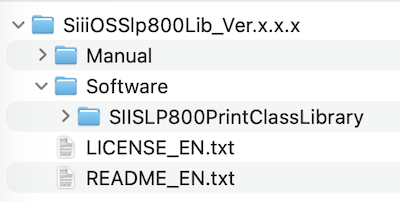
This library is a binary package distributed via Swift Package Manager (SPM).
The package contains an XCFramework format file (SIISLP800PrintClassLibrary.xcframework) and sample code.
Build Library into Xcode Project
- Launch Xcode and open the target project.
- In the Project Navigator on the left, select the project name or target name.
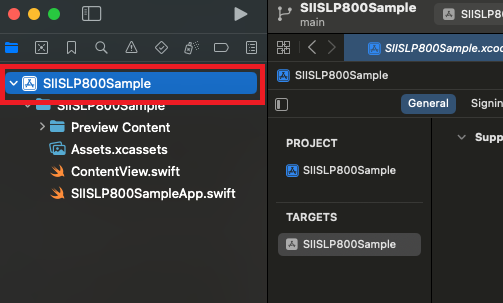
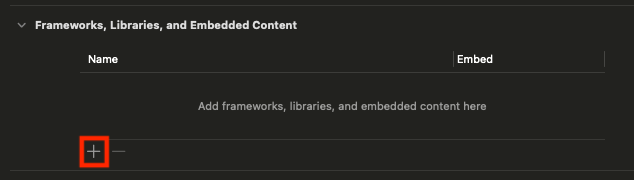
- Open the General tab and scroll down to the "Frameworks, Libraries, and Embedded Content" section.
- Click the “+” button.
- From the menu, select “Add Other…” → “Add Package Dependency…” → “Add Local…”.
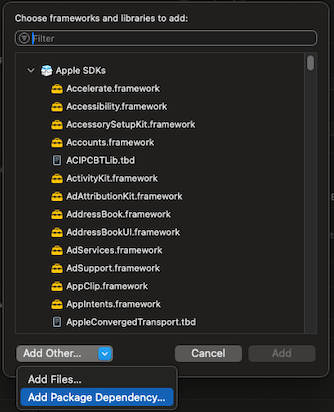
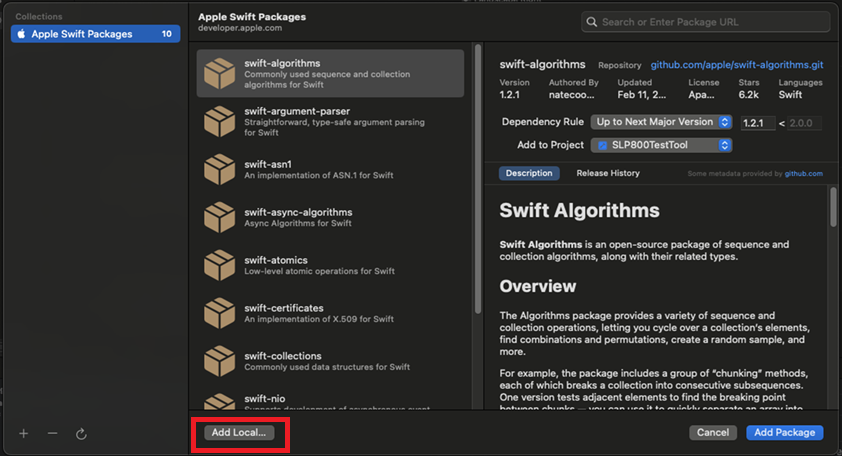
- In the local path selection window, specify the path to SIISLP800PrintClassLibrary, then click “Add Package” to complete the addition.
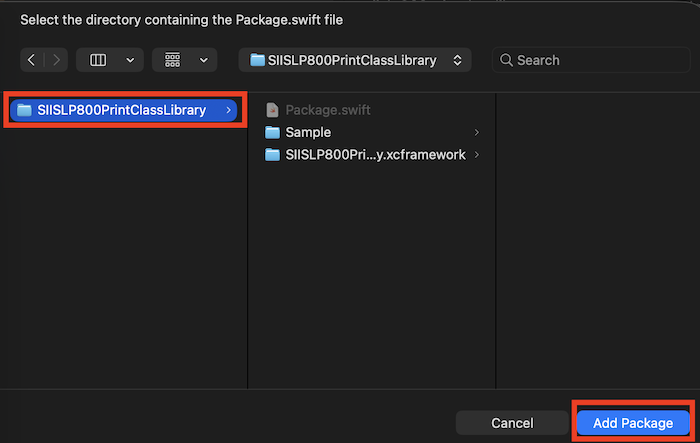
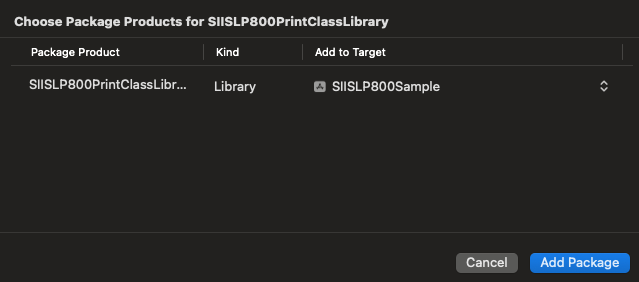
- Next, add ExternalAccessory.framework.
Repeat steps 2–4 to open the menu, select ExternalAccessory.framework, and click “Add”.
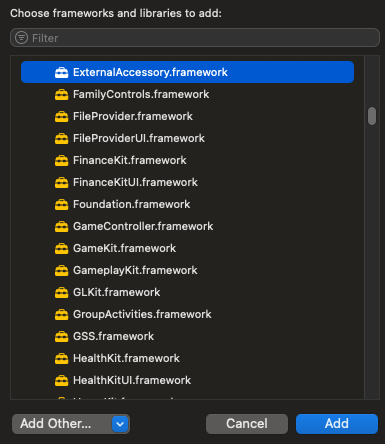
- Configure the protocol name for ExternalAccessory.framework:
Open the Info tab and click the “+” button in the "Document Types" section.
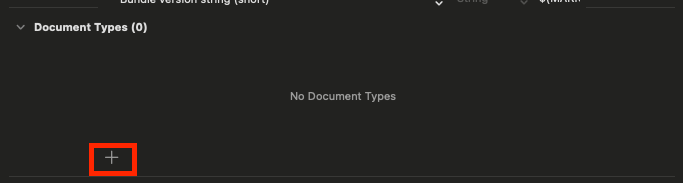
- An Info.plist file will be generated. In the Project Navigator, select Info.plist.
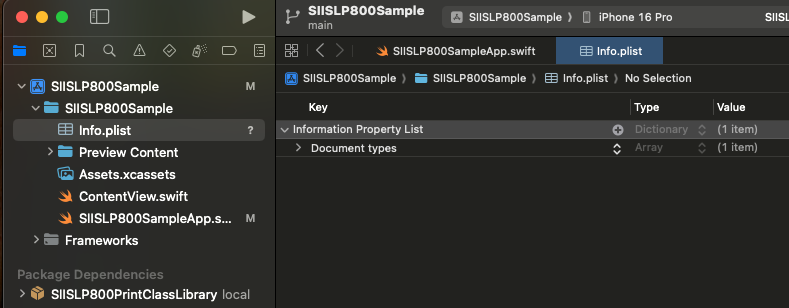
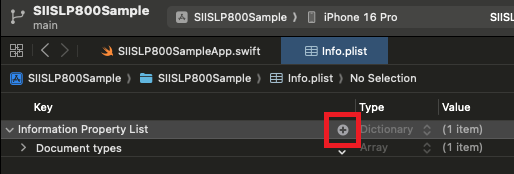
- In the "Information Property List", click the “+” button on the right.
- From the list, select "Supported external accessory protocols".
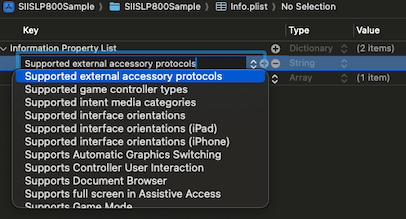
- Expand "Supported external accessory protocols". Under "Item 0", enter the value:
com.sii-ps.siieap
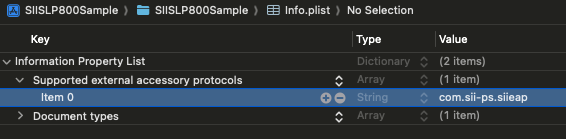
If you do not use "Document types", click the "-" on the right to delete them. - When importing the library, use the following statement:
import SIISLP800PrintClassLibrary
At this point, the library’s functionality is available for use.